

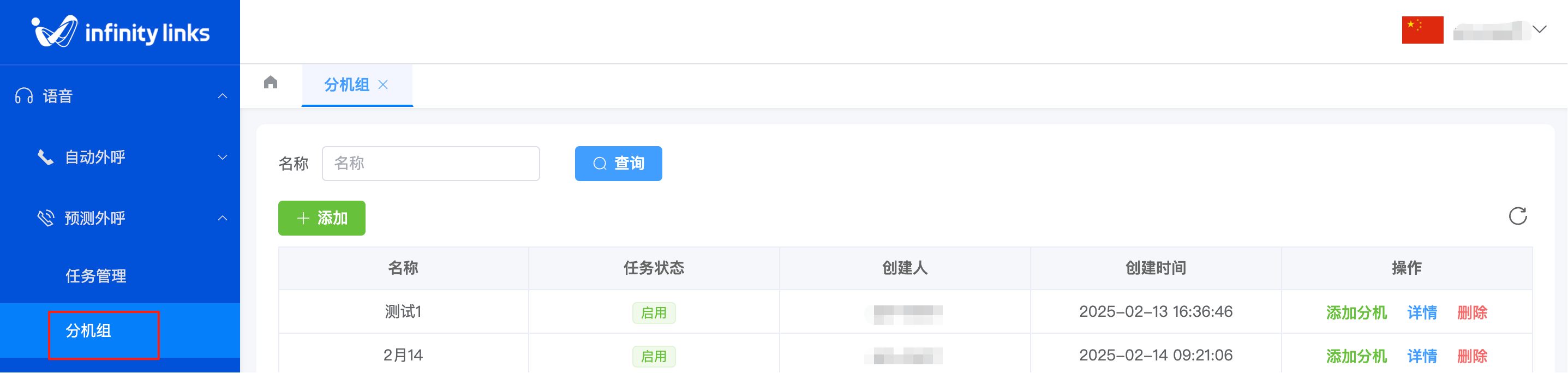
1.Create an Agent Group
1.Accessing the Feature
1.Log in to the admin console. In the left-side navigation pane, select Voice, then click Predictive Dialer from the expanded menu. On the subsequent page, choose Agent Groups to access the management interface.


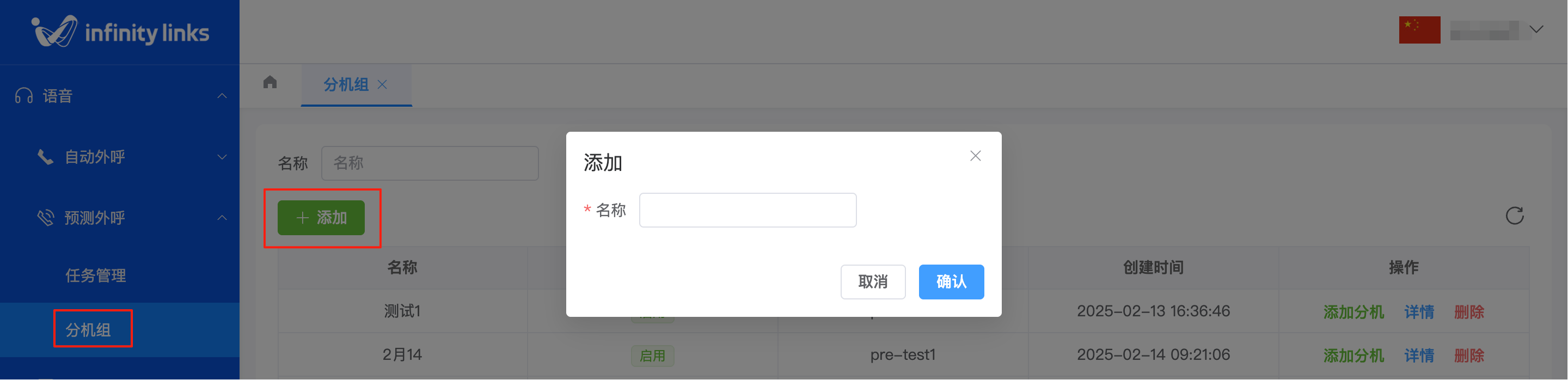
2.On the Agent Groups list page, click "Add Agent Group". In the pop-up window, enter the agent group name and submit to complete the creation.
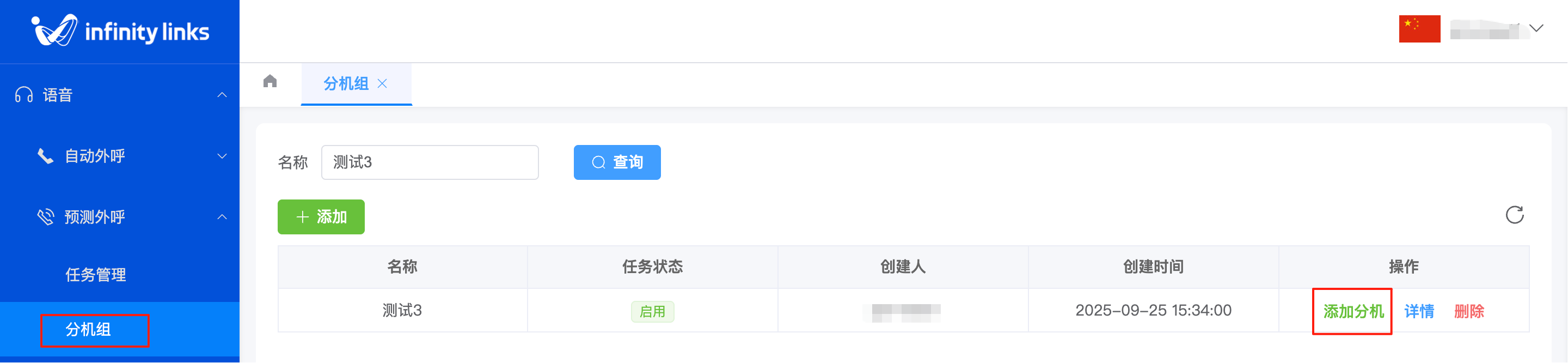
3.After the agent group is created, click "Add Extension" in the "Actions" column on the Agent Groups list page to add extensions to this group.