


Extension Call Statistics
This document provides a detailed guide on the statistical dimensions, query conditions, and report display methods for extension call data, as well as the full-link details of individual calls. It is designed to help administrators gain comprehensive insights into each extension's call load, service quality (e.g., answer rate, average call duration), and peak business hours, thereby providing data support for staff scheduling, resource optimization, and performance evaluation.
Feature Overview
The Extension Call Statistics module aggregates historical call records for all extension accounts on the voice service platform. The system supports filtering by dimensions such as time range and extension number, and automatically generates detailed data lists. This feature primarily includes the following two parts:
- Call Statistics: Provides key metrics for the specified date range, including the number of calls, answered/unanswered calls, and total call duration.
- Call Details: Displays specific details for each call, including the called number, start time, answer time, end time, connection status, and single call duration.
Through this feature, administrators can quickly review the call volume and basic metrics for each extension, as well as access specific call detail records.
Accessing the Feature
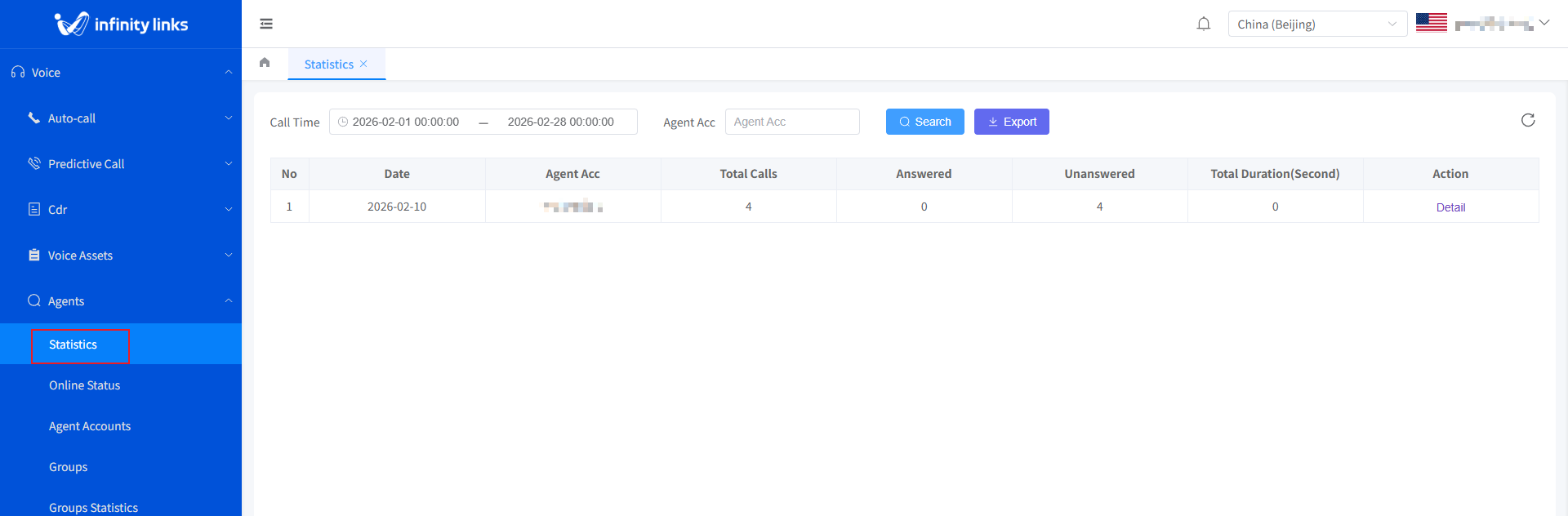
Log in to the Call Center Console. In the left navigation pane, select Voice > Agents > Statistics to access the statistics page.
1. Filter and Query
In the filter area at the top of the page, you can combine the following conditions for precise queries:
- Time Range: Customize the start and end times for your query using the time picker (accurate to the second).
- Extension Number: Enter a specific extension number (fuzzy search supported) to view the call records for a specific agent. Leave it blank to include all extensions.
After setting the filter conditions, click the Query button to refresh the data list below.
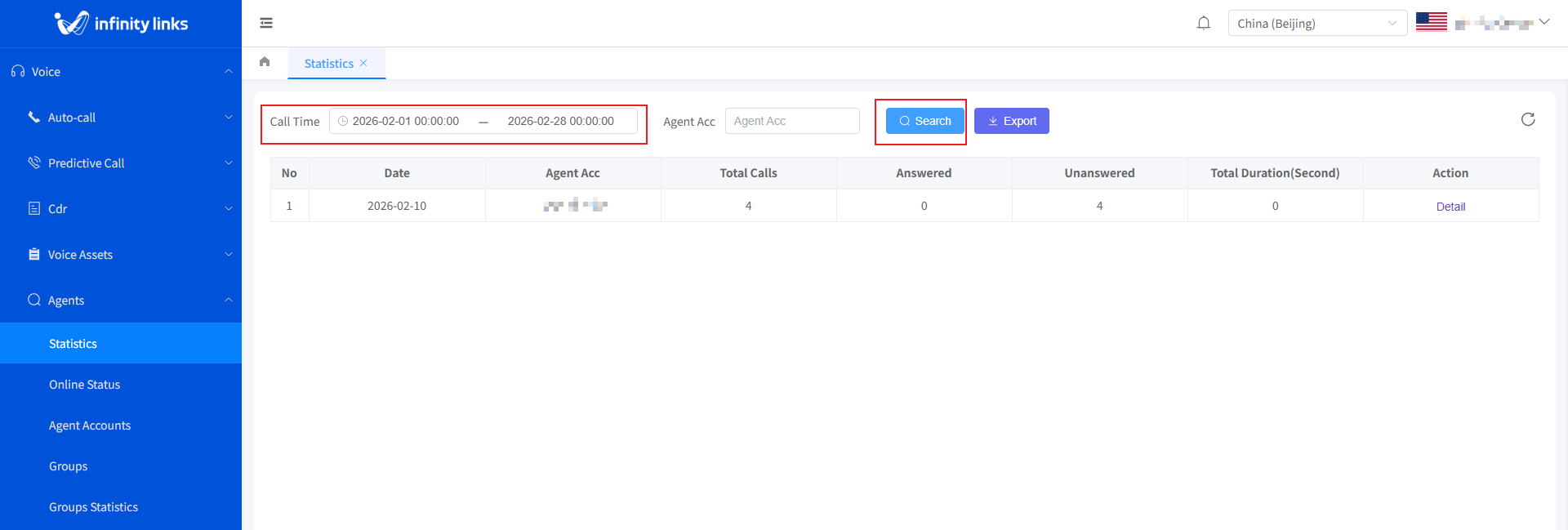
- Total Calls: The total number of calls made (including both answered and unanswered calls).
- Answered Calls: The number of successfully answered calls.
- Unanswered Calls: The number of calls that were not answered.
- Total Call Duration: The total duration of all answered calls.
2. Viewing Call Details
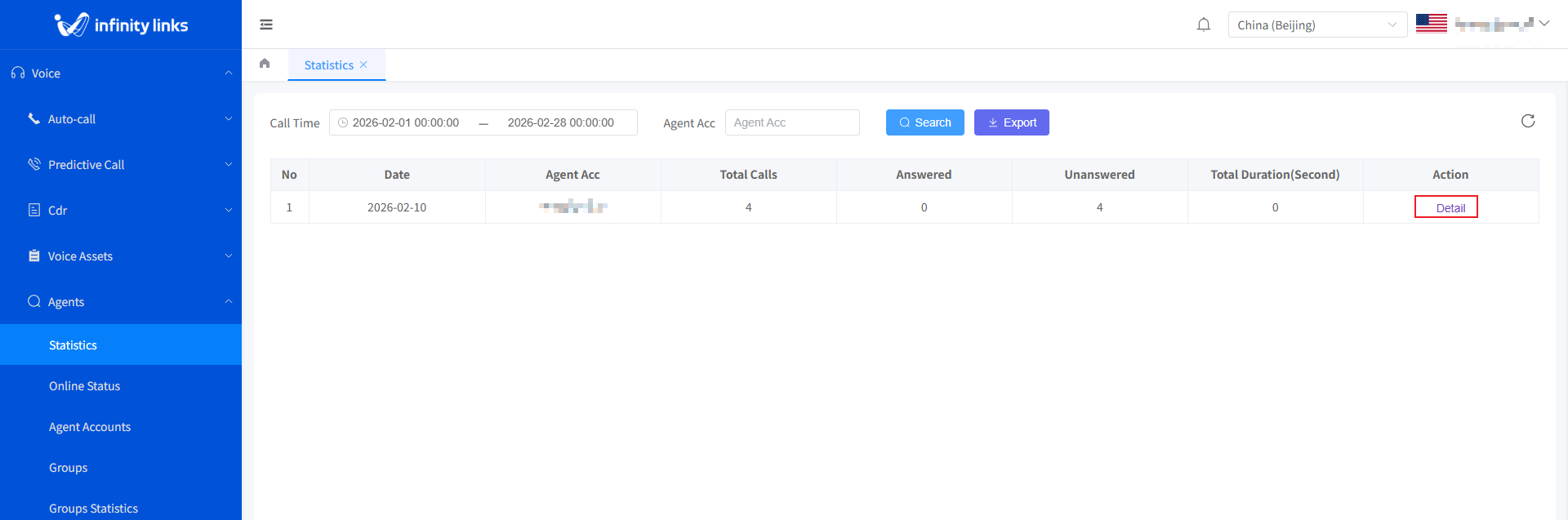
1.In the call statistics list, click the Details button in the Actions column for the target record. The system will pop up the full-link call details window.
2.In the pop-up details dialog box, you can view the detailed call information for the extension.
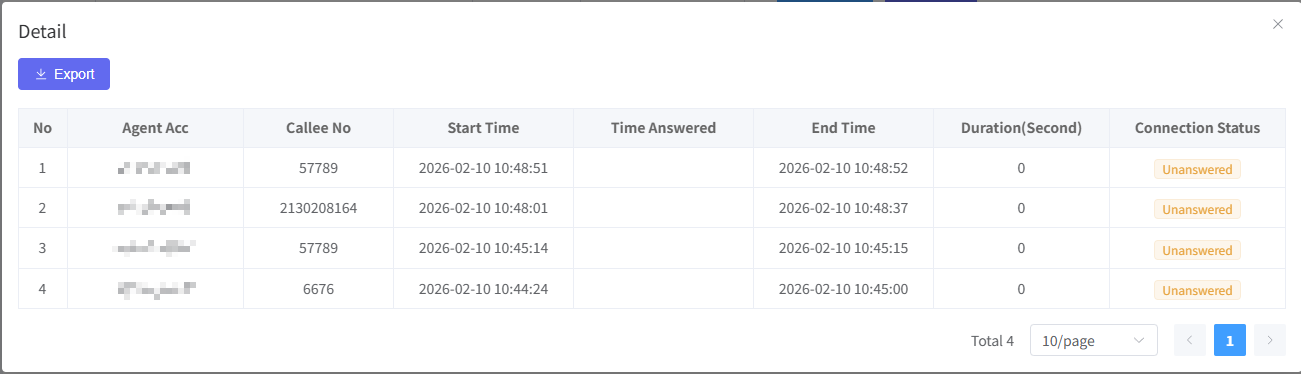
- Called Number: The target number being called.
- Start Time: The time when the call was initiated.
- Answer Time: The time when the called party answered the call.
- End Time: The time when the call ended.
- Talk Time: The actual duration of the conversation.
- Connection Status: Answered / Unanswered.