Extension Account Management
This document provides a detailed guide on managing extension account status, maintaining passwords, and handling the full account lifecycle. It also comprehensively explains the critical role extensions play in softphone login and communication security.
Feature Overview
An extension account serves as a digital identifier for softphone login within the voice service platform and is pre-created by system administrators. Each extension has a unique login password for identity authentication. This page supports various operational and maintenance (O&M) tasks, including viewing basic extension information, enabling or disabling accounts, changing login passwords, and deleting extensions, ensuring that communication resources remain secure and under control.
Accessing the Feature
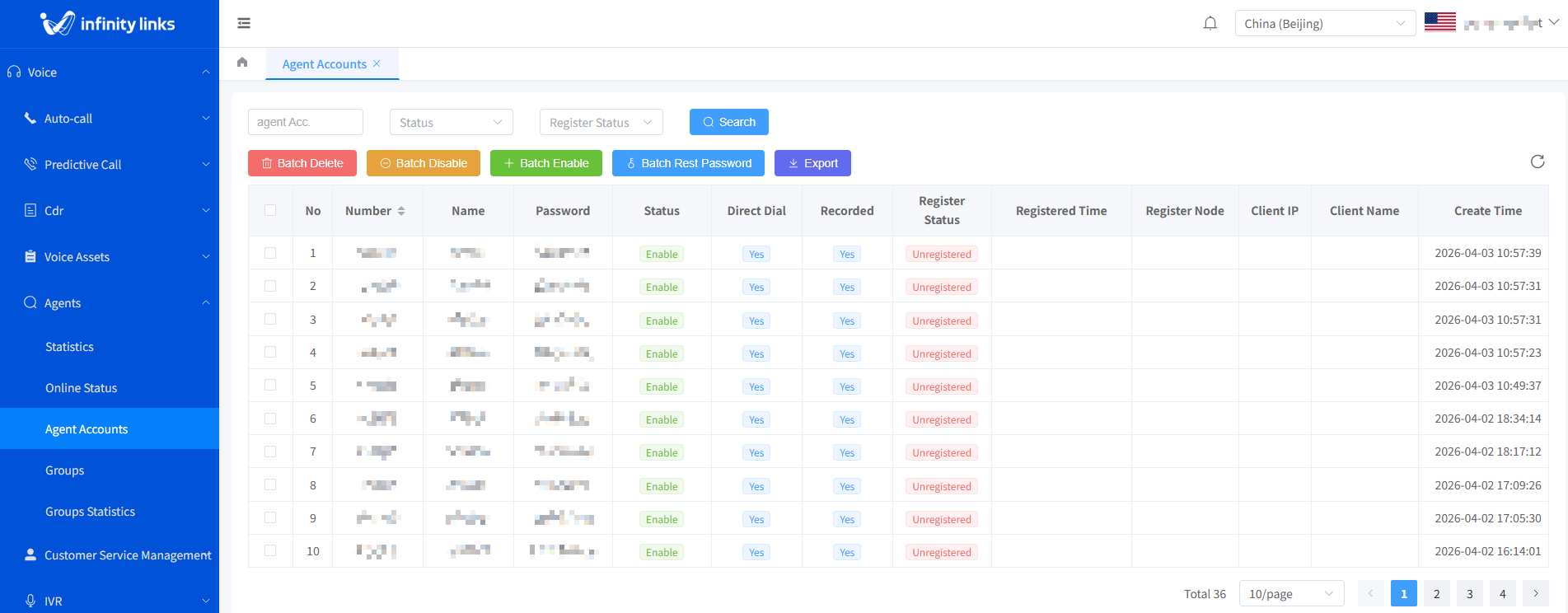
Log in to the Call Center Console. In the left navigation pane, select Voice > Agents > Agent Accounts to access the extension account list page.
Feature Introduction
Viewing Extension Information
In the extension account list, you can view the following fields:
- Extension Number: A 4–8 digit unique identifier.
- Extension Name: A readable name set by the administrator.
- Extension Password: The authentication credential for logging in to the softphone.
- Status:Enabled: Login is allowed.
- Disabled: Login is prohibited.
- Manual Dialing: When enabled, you can directly make calls using the softphone's dial pad.
- Call Recording: Indicates whether calls initiated or received by this extension are automatically recorded.
- Registration Status:Registered: The softphone is online.
- Unregistered: The softphone is offline or not logged in.
- Registration Time: The timestamp of the most recent successful registration.
- Registration Node: The media server node to which the extension is currently connected.
- Client IP: The public IP address of the device where the softphone is located.
- Client Name: The type of softphone client (e.g., "WebRTC", "Windows Client v2.1").
- Creation Time: The time when the extension was created (read-only).
Editing an Extension Account
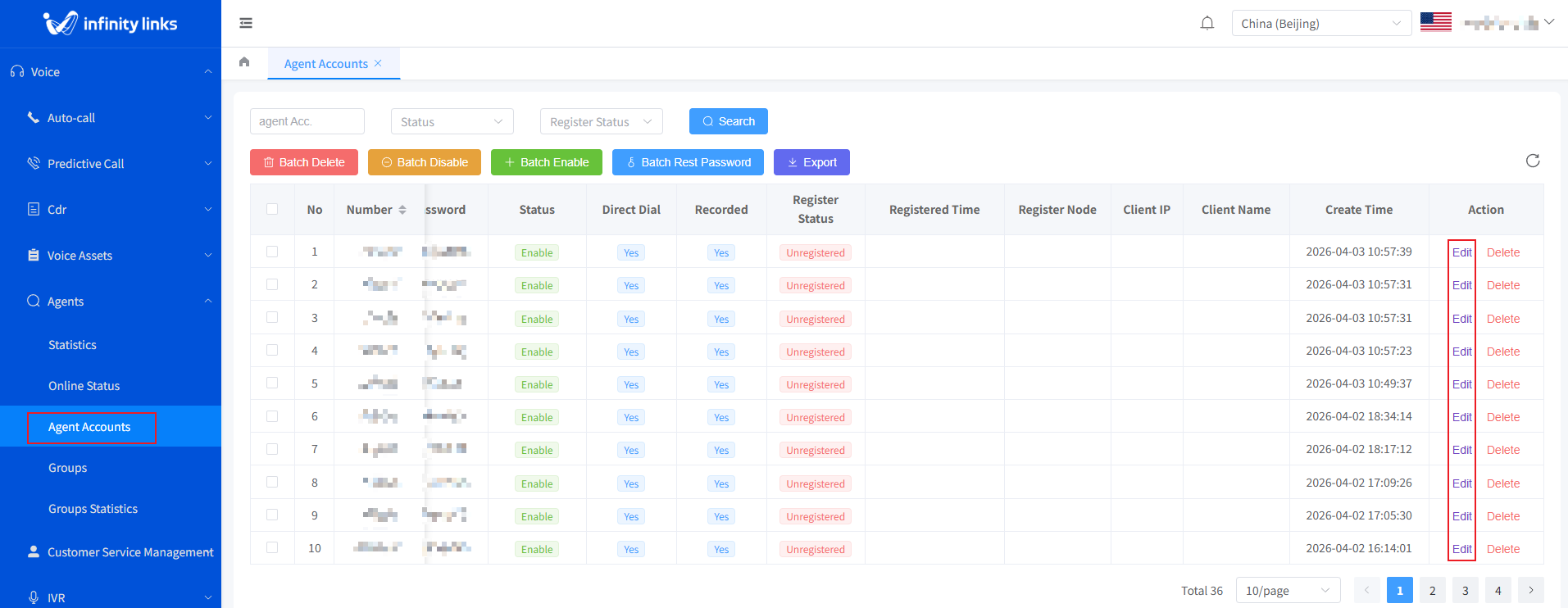
1.In the extension account list, click Edit button in the Actions column for the target extension to go to the edit page.
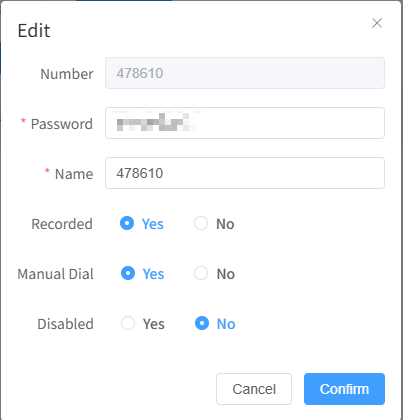
2.On the pop-up edit page, you can modify the extension name, call recording settings, manual dialing settings, and extension status. Click Confirm to save the changes.
Deleting an Extension Account
1.In the extension account list, click Delete button in the Actions column for the target extension.
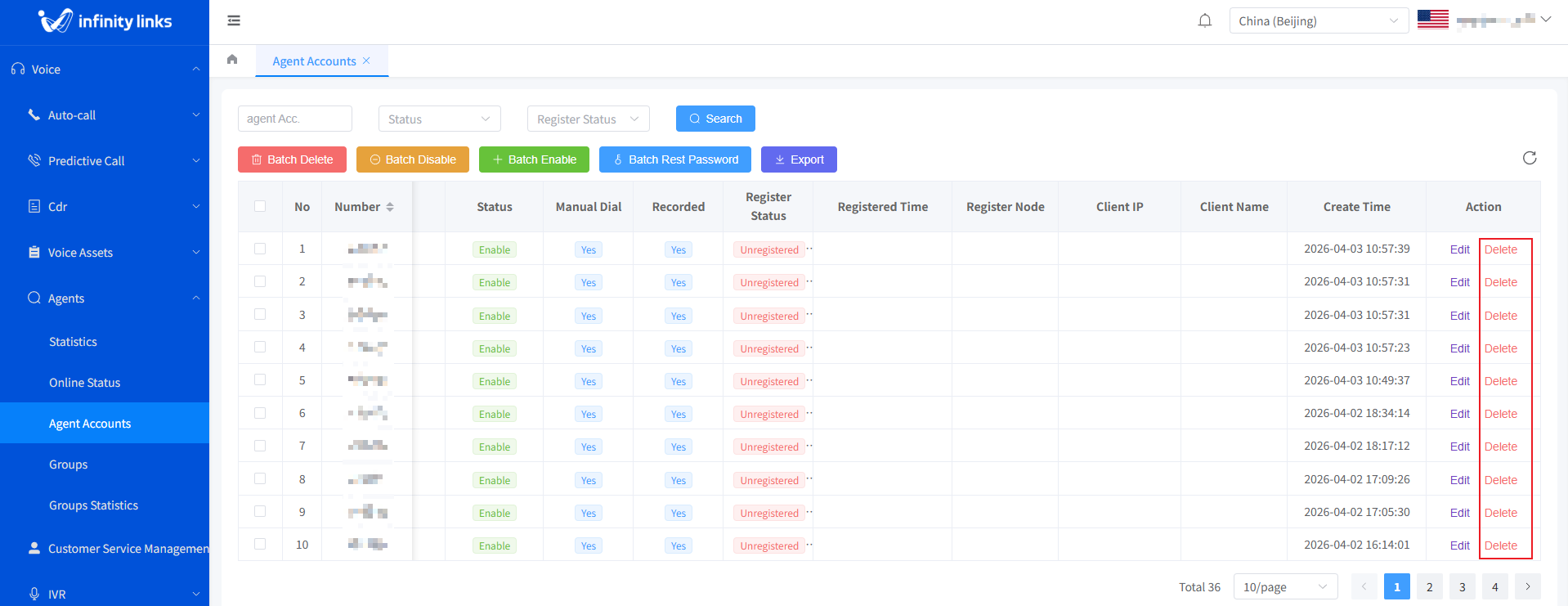
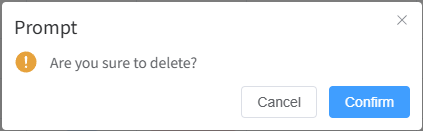
2.In the confirmation dialog box, click Confirm to complete the deletion.